printorial
A downloadable game for Android
Learn how a 3D printer works, right in your space!
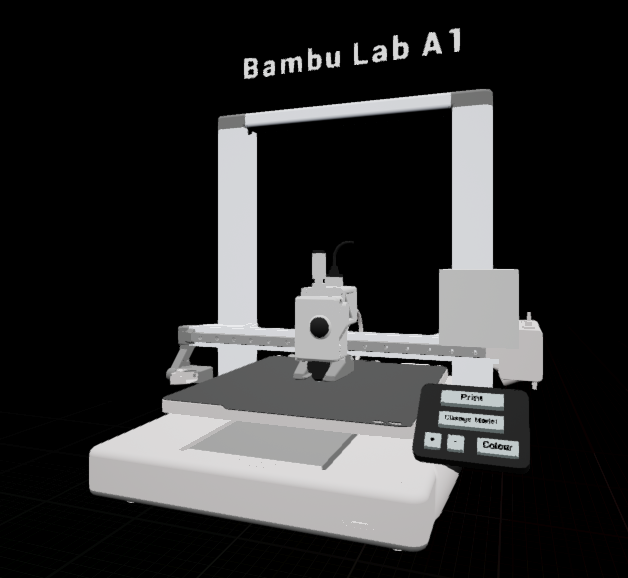
This AR app lets you explore a simplified version of the Bambu Lab A1 3D printer. Discover its components, customize a print, and simulate the printing process, all through interactive augmented reality.
Requirements
-
Android device with ARCore support
-
Printed Hiro Marker (included in the download)
What's included
-
arprintertutorial-arm64.apk file— the main app file -
Install_arprintertutorial-arm64.bat— simple one-click installer for Windows -
hiro_marker.png— print this image to use as the AR marker
How to use
-
Print the included Hiro Marker
-
Place the marker on a flat surface
-
Open the app and point your camera at the marker
-
Explore, tap the 3D buttons, and simulate a 3D print!
Features
-
Interactive 3D printer with tapable controls
-
Animated print simulation
-
Customizable model (size, shape, color)
-
Component highlight overlays
-
Spatial audio for an immersive experience
Download
Install instructions
How to install on your Phone
Download
arprintertutorial-arm64.apk-
Install application
-
Open the app on your phone
How to install with PC for your Phone
Enable developer mode on your Android device (Settings > About phone > Tap "Build number" 7x, then enable USB debugging in Developer Options)
Connect your phone to your PC via USB
- Download all files
Run
Install_arprintertutorial-arm64.batOpen the app on your phone
Leave a comment
Log in with itch.io to leave a comment.